A Workflow is an automated sequence that connects your apps and runs tasks for you — without any manual effort. You define what should happen and when, and viaSocket takes care of the rest.
Every workflow has two parts: a Trigger that starts it, and one or more Actions that run after. The trigger listens for an event — like a form submission, a webhook call, or a scheduled time. Actions are the steps that execute in response — sending messages, updating records, calling APIs, and more.

Trigger

Actions
Data Mapping
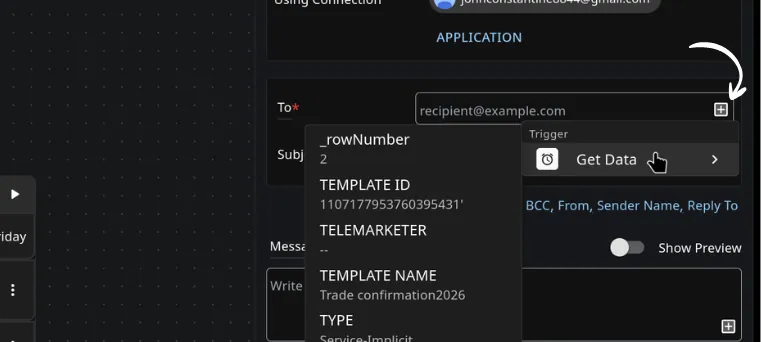
Data mapping is how information moves from one step to the next inside your workflow. When a step runs, it produces output — a name, an email, an ID, a response. In the next step, you can reference that output and use it as input. You map data by selecting fields from previous steps directly inside the action configuration. No code needed.
Managing Workflows
Turn on / off – activate or pause a workflow anytime without deleting it.
Duplicate – copy a workflow as a starting point for a new one.
Delete – permanently remove a workflow. This cannot be undone.
Execution & Logs
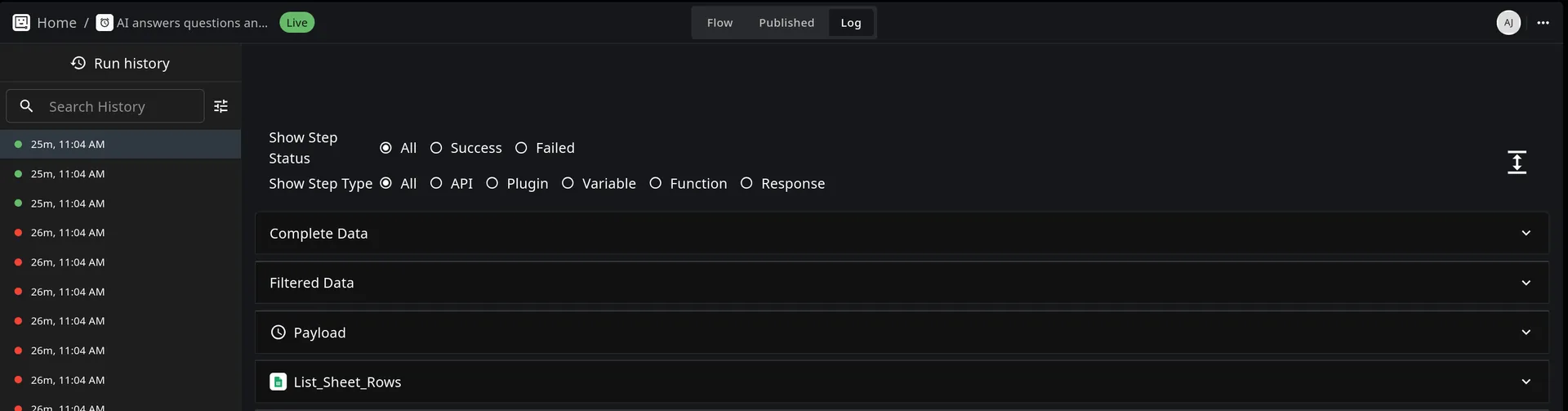
Every time your workflow runs, viaSocket records it. You can view which runs succeeded, which failed, and exactly where a failure happened. Each log shows the input and output of every step.
If a workflow fails mid-run, only the steps that executed before the failure are counted as tasks.
Access your logs from the workflow detail page inside your dashboard.