
API Rate Limiting for Multi-Tenant Integrations
 By Abhijeet Singh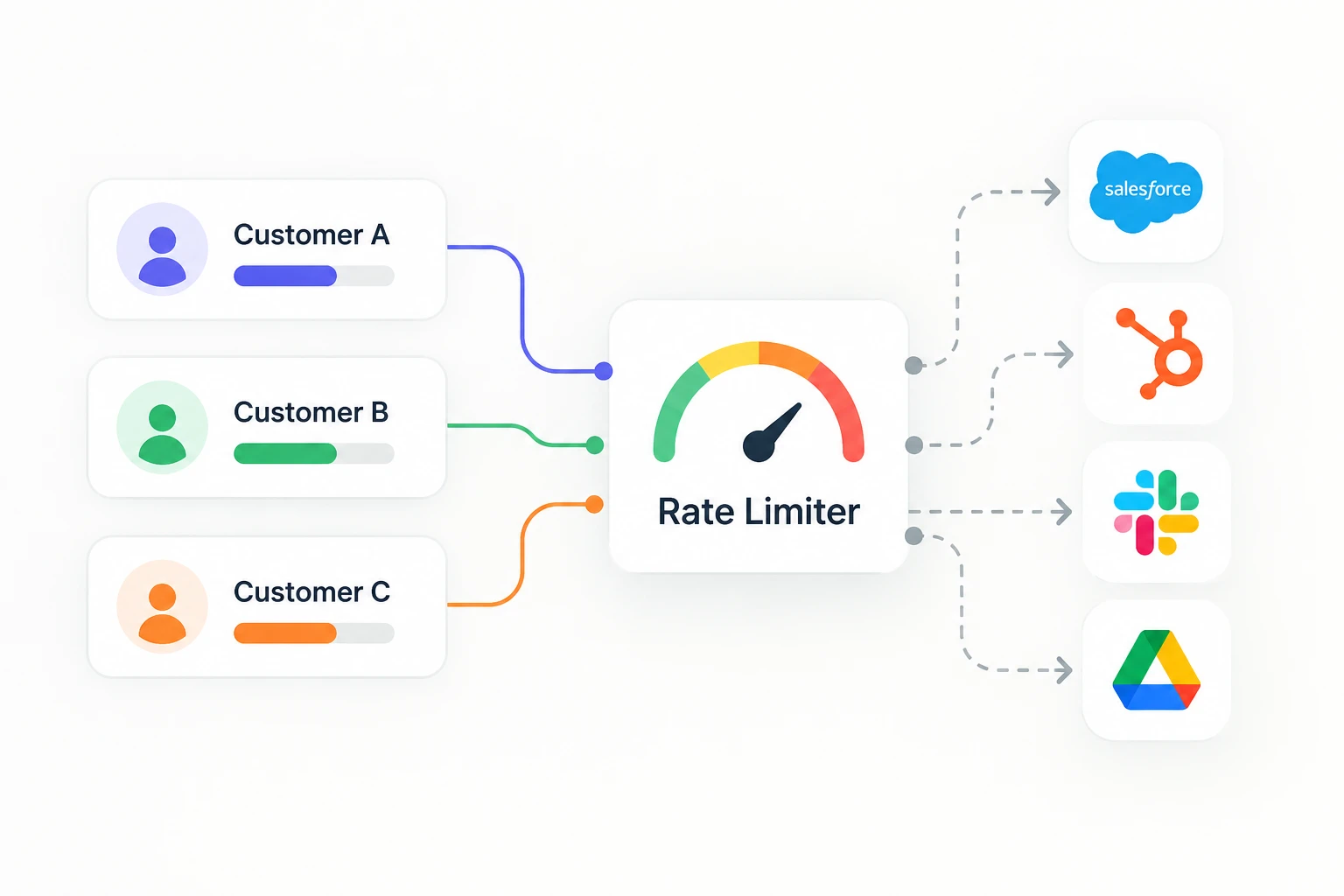
Jump to section
- Why single-tenant rate-limit advice doesn't transfer
- The shared-quota problem, concretely
- Designing a tenant-aware rate limiter
- Separate credentials beat shared credentials, where the provider allows it
- Prioritizing requests, not just rate-limiting them
- What this looks like when a limit is actually hit
- Build vs. buy, for this specific piece
- Key takeaways
- FAQs
Every third-party API you integrate with enforces some kind of rate limit, and almost every guide on handling them assumes you're a single consumer talking to a single API on behalf of yourself. That assumption breaks the moment your product has more than one customer.
If you're building integrations into a multi-tenant SaaS product — where Customer A and Customer B both connect their own Salesforce, HubSpot, or Slack account through your app — rate limiting stops being "catch the 429 and back off" and becomes a resource-allocation problem: whose requests get to run, in what order, when the shared budget is tight. Get this wrong, and the usual failure mode isn't a crash. It's one customer's bulk import quietly starving every other customer's sync for the next twenty minutes.
This is a practical guide to that specific problem: tracking and enforcing rate limits per tenant, not just per provider, inside an integration layer that serves many customers at once.
Why single-tenant rate-limit advice doesn't transfer
The standard rate-limit playbook is well documented elsewhere: read Retry-After, back off exponentially with jitter, use a token bucket, add a circuit breaker. All of that is still necessary. None of it answers the question that actually matters in a multi-tenant system: whose token bucket is it?
Two patterns collide here, and most teams only notice the collision in production:
-
Provider-level limits are usually set per API key, per OAuth app, or per account — not per end user of your product. If ten of your customers connect to Salesforce through the same connected app, Salesforce may be rate-limiting your app's traffic as a whole, not each customer individually.
-
Tenant-level fairness is what your customers actually expect. Customer A importing 50,000 contacts should not cause Customer B's single webhook-triggered sync to queue for ten minutes behind it.
A rate limiter built for a single consumer optimizes for "stay under the ceiling." A rate limiter built for a multi-tenant integration layer has to optimize for "stay under the ceiling and divide what's left fairly" — and those two goals require different data structures, not just a bigger bucket.
The shared-quota problem, concretely
Say your product integrates with a CRM that allows 1,000 requests per minute per connected app, and 40 of your customers have connected their own accounts of that CRM through the same OAuth app registration. Three things can go wrong, and they compound:
-
Noisy neighbor. One customer runs a bulk operation — a CSV import, a full historical backfill — and consumes most of the 1,000-request budget for that minute. Every other customer sharing the same app registration gets throttled, even though their own usage is tiny.
-
Silent unfairness. Without per-tenant tracking, you can't even tell which customer caused the throttling after the fact. Your support team sees "sync is slow" tickets from customers who did nothing wrong, with no data to point at the actual cause.
-
Retry amplification. If every tenant's sync worker independently implements its own retry-with-backoff against the same shared 429, you get a thundering herd within your own system — forty workers all backing off and retrying against a limit none of them individually caused.
The fix isn't a smarter backoff curve. It's making the rate limiter tenant-aware before the request is sent, not just reactive after a 429 comes back.
Designing a tenant-aware rate limiter
A multi-tenant integration layer needs two layers of budget, tracked separately, and reconciled on every outbound call:
Layer 1 — the provider budget. The actual ceiling the third-party API enforces (requests per second/minute/day, concurrent connections, or a leaky/token-bucket model specific to that provider). This is shared across every tenant hitting that provider through the same credentials.
Layer 2 — the per-tenant allocation. A slice of the provider budget assigned to each connected tenant, so one customer's burst can't silently consume another's share.
A simple and effective allocation model is a weighted token bucket per (tenant, provider connection) pair, refilled from a shared pool:
shared_pool.capacity = provider_limit_per_window
shared_pool.refill_rate = provider_limit_per_window / window_seconds

per_tenant_bucket[tenant_id].capacity = min(
  fair_share * burst_multiplier,
  shared_pool.capacity
)
Where fair_share is shared_pool.capacity / active_tenant_count, recalculated periodically rather than per request. burst_multiplier (typically 2–4x) lets a quiet tenant use more than their strict equal share when the pool isn't contended, without ever exceeding the shared ceiling. Before any request goes out: acquire a token from both the tenant's bucket and the shared pool. If either is empty, the request queues — against that tenant's own queue, not a global one, so one tenant's backlog doesn't block another's dequeue order.
This is the same acquire-before-send discipline covered in the multi-tenant integration architecture pattern for delivery and credentials generally: rate-limit budgets are a fourth isolation dimension alongside credentials, routing, and observability, and they need the same per-connection accounting the others get.
Separate credentials beat shared credentials, where the provider allows it
The cleanest fix to the noisy-neighbor problem is structural, not algorithmic: get each tenant their own API credentials instead of routing all tenants through one shared OAuth app or API key.
Some providers make this easy — Shopify, for example, issues rate limits per shop (effectively per tenant) rather than per app, so a well-architected integration naturally gets tenant isolation for free. Others don't: a single Slack app's rate limits are shared across every workspace it's installed in unless you specifically request enterprise-grid-level isolation.
Where per-tenant credentials are available, use them, even though it means more OAuth flows and more token lifecycle management per connection. Where they're not, the shared-pool-plus-fair-share model above is the next best thing, and it's worth building deliberately rather than discovering you need it after your first large customer starves your smaller ones.
Prioritizing requests, not just rate-limiting them
Not all API calls a tenant generates are equal, and a rate limiter that treats a user-triggered action (someone clicking "sync now" and waiting) the same as a background batch job (a nightly full resync) will make the wrong tradeoff under pressure.
A practical priority scheme:
| Priority | Example | Behavior under contention |
|---|---|---|
| Interactive | User clicks a button, expects a result in seconds | Reserve a small always-available slice of the tenant's bucket; never queued behind batch work |
| Event-driven | Webhook-triggered single-record sync | Normal queue, short timeout, fail fast and retry later rather than blocking |
| Batch/background | Historical import, nightly resync | Lowest priority, explicitly throttled to leave headroom, allowed to run over a longer window |
Implementing this doesn't require a sophisticated scheduler — a small number of separate queues per tenant, drained in priority order, with the interactive queue getting first access to that tenant's token bucket, gets most of the benefit. The expensive part is remembering to classify every new integration's calls into one of these buckets at write time, not retrofitting it later once a batch job has already degraded someone's interactive experience.
What this looks like when a limit is actually hit
Tenant-aware allocation reduces how often you hit a provider's ceiling, but it doesn't eliminate 429s — a tenant can still legitimately need more throughput than their fair share allows during a real burst. When that happens, the same reactive patterns from single-tenant rate limiting still apply, scoped per tenant:
-
Respect Retry-After when the provider sends it; fall back to jittered exponential backoff when it doesn't.
-
Keep backoff state per tenant, not global — a backoff triggered by Tenant A's traffic shouldn't throttle Tenant B's independent requests against the same provider.
-
Distinguish a rate limit (wait and retry) from a quota exhaustion (daily/monthly cap — stop and alert, since retrying won't help until the window resets).
-
Feed 429 frequency per tenant into monitoring, not just a global error rate — a single tenant repeatedly tripping limits is a different problem (undersized allocation, or a misbehaving sync job) than broad provider-wide throttling.
This reliability layer sits next to the work covered in our guide to webhook retries and idempotency — that piece covers the inbound side (a provider delivering events to you reliably), while rate limiting covers the outbound side (your system calling a provider without overwhelming its ceiling or starving other tenants). Both ultimately rely on the same per-tenant isolation discipline, and both sit downstream of a connection that was authenticated correctly in the first place — see how OAuth integrations are typically built for the layer underneath both.
Build vs. buy, for this specific piece
Tenant-aware rate limiting is one of those features that's straightforward to describe and genuinely tedious to build correctly: a shared-pool token bucket, per-tenant queues, priority classification, backoff state tracked per connection, and monitoring that can answer "which tenant caused this" — all of it has to be re-derived for every provider you add, because every provider's actual limit shape (requests per second vs. concurrent connections vs. a daily quota) is different.
It's also the kind of infrastructure that only becomes visible as a gap once you have enough tenants for the shared-quota math to matter — which is exactly when it's most expensive to retrofit, because by then real customers are the ones queued behind someone else's import job.
This is part of what an embedded integration layer like viaSocket is built to absorb: per-connection rate-limit tracking, retry and backoff handled centrally, and tenant isolation that extends to API throughput, not just credentials and data — so a product team adding a new integration inherits fair, tenant-aware request handling instead of rebuilding the allocation logic for every provider they connect to.
Key takeaways
-
Standard rate-limit advice (backoff, jitter, token buckets) assumes a single consumer; multi-tenant products need a second layer that allocates a shared provider quota fairly across tenants.
-
Track two budgets per request: the provider's actual limit, and each tenant's fair share of it — enforced with a weighted token bucket refilled from a shared pool.
-
Use separate API credentials per tenant where the provider supports it; it removes the noisy-neighbor problem structurally instead of managing around it.
-
Classify requests by priority (interactive, event-driven, batch) and queue per tenant, so one customer's bulk job never blocks another's real-time action.
-
Keep backoff and 429 monitoring scoped per tenant — a single customer repeatedly tripping limits is a different incident than provider-wide throttling.
FAQs
Does every API provider rate-limit per app or per account?
It varies. Some (like Shopify) rate-limit per shop/tenant natively, which gives you isolation for free. Many others (common with Slack, many CRMs under a single OAuth app) rate-limit the app as a whole, meaning every tenant connected through that app shares one ceiling unless you request separate credentials per tenant.
Is a bigger token bucket the fix for noisy-neighbor throttling?
No — a bigger shared bucket just delays the problem; it doesn't allocate it fairly. The fix is a second, per-tenant bucket layered on top of the shared provider bucket, so no single tenant can consume more than their allotted share even when the shared bucket has room.
Should background jobs and user-facing requests share the same rate limit queue?
No. Give interactive, user-triggered requests priority access to a tenant's budget, and run batch or background syncs in a lower-priority queue with their own throttling, so a nightly resync never makes a customer wait on a button click.
What's the difference between hitting a rate limit and hitting a quota?
A rate limit is a per-second/minute/hour ceiling that resets quickly — wait and retry. A quota is a longer window (daily/monthly) that doesn't reset until the period ends — retrying aggressively won't help, and the better response is to alert and pause until the quota resets or is increased.