Tool-Calling Infrastructure for AI Agents That Use Third-Party Apps
 By Abhijeet Singh
Jump to section
The right tool-calling infrastructure for AI agents that use third-party apps requires three things working together: per-user OAuth isolation, runtime action execution, and connection state management. Most implementations get one of these right and leave the others as an exercise for the developer.
This guide explains the architecture, the common failure modes, and how to build it correctly — whether you use viaSocket's embedded Actions for AI, roll your own on top of a managed auth layer, or use MCP.
Why tool-calling infrastructure is harder than it looks
The typical agent tool-calling tutorial shows a single user authenticating once and an agent calling tools with those credentials. That works for a prototype. It breaks in production when:
- Multiple users each need their own connected accounts (Salesforce for Alice, Salesforce for Bob — different orgs, different tokens)
- A user's OAuth token expires mid-session and the agent silently fails instead of triggering reauthorisation
- Your agent runs server-side but the OAuth flow requires a browser redirect
- You add a second agent or a second app and the auth layer does not compose
These are not edge cases. They are the default state of any multi-tenant SaaS product with agent capabilities.
The two-phase model
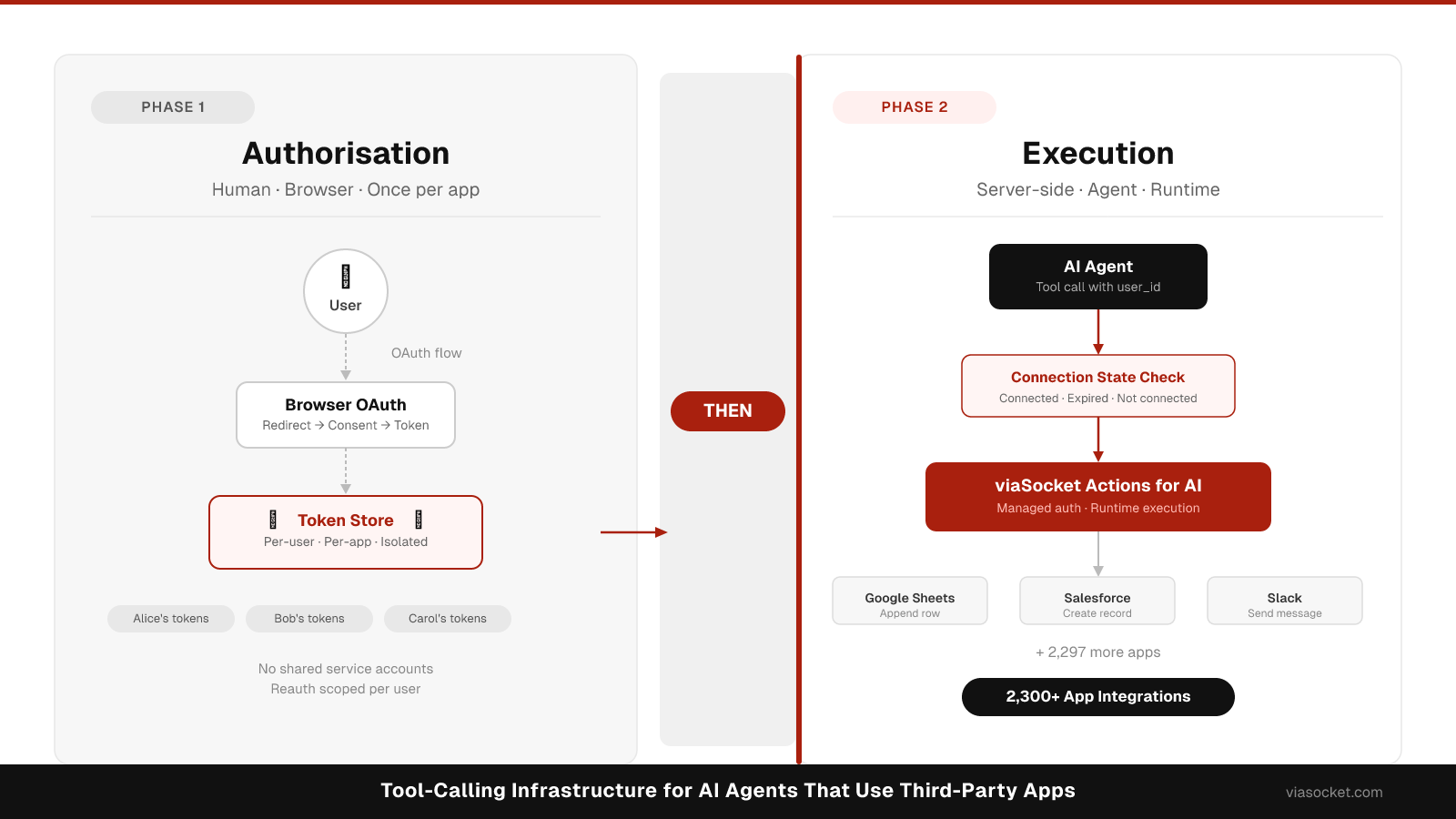
The correct architecture separates authorisation from action execution:
Phase 1 — Authorisation (human in browser) The user connects their third-party app through a standard OAuth browser flow. This happens once per app, per user. The resulting token is stored securely, scoped to that user's account in your system.
Phase 2 — Action execution (server-side agent) When the agent needs to act, it retrieves the stored token for the specific user whose session is active and calls the app API. The user is not in the loop. No browser redirect happens.
This separation is what makes agent tool-calling work in production. If your agent tries to initiate an OAuth flow at action-execution time, you have a broken user experience.
Connection state management
Before executing any action, your agent must check whether the user has a valid connection for the target app. Three states matter:
Connected — token exists and is valid. Proceed with the action.
Token expired — token exists but needs refresh. A well-built managed OAuth layer for SaaS integrations handles this automatically. Your agent should not need to implement refresh logic itself.
Not connected — the user has never authorised this app, or revoked access. The agent cannot proceed. Return a signal to the calling system that reauthorisation is required — do not attempt the action and report a silent failure.
Handling the not-connected state is where most implementations fall down. The agent either crashes, returns a confusing error, or worse, tries to proceed and leaks that the connection is missing through an opaque API error from the third-party app.
Per-user OAuth isolation
Every user in your system needs their own isolated OAuth credentials. For a deep look at how this works for AI agents specifically, see OAuth for AI agents. The core requirements are:
- Token storage keyed by both user ID and app ID
- No shared service accounts across users (unless you have an explicit, documented reason)
- Reauthorisation scoped to the affected user, not system-wide
- Multi-account support: a user may have multiple connected accounts for the same app (two Gmail accounts, two Salesforce orgs)
This isolation is the foundation that makes multi-tenant agent tool-calling safe.
Building with viaSocket Actions for AI
viaSocket's Actions for AI (viasocket.com/embed/actions-for-ai) implements this two-phase model with per-user OAuth isolation built in. You embed the connection UI in your SaaS, users authorise their apps through it, and your agent calls actions server-side against those stored connections across 2,300+ apps.
Server-side token generation:
// Sign with VIASOCKET_EMBED_SECRET server-side — do not expose the secret to the client
const jwt = generateEmbedToken(
  {
    org_id: process.env.VIASOCKET_ORG_ID,
    project_id: process.env.VIASOCKET_PROJECT_ID,
    unique_identifier: currentUser.id
  },
  process.env.VIASOCKET_EMBED_SECRET
);
Your agent calls the viaSocket execution API server-side with the active user's identifier and the target app action. See viasocket.com/developers/docs for the current method signature and framework-specific examples.
For AI agent integration specifically, Actions for AI provides an MCP-compatible endpoint and direct tool definitions your agent framework can consume. See the viaSocket developer docs for framework-specific examples.
Using MCP as an alternative
Model Context Protocol (MCP) is an open-source protocol for connecting AI applications to external data sources, tools, and workflows. An MCP server exposes tools to an MCP-compatible client (Claude, Cursor, a custom agent) through a defined transport layer. For the protocol fundamentals, see What is Model Context Protocol (MCP)?.
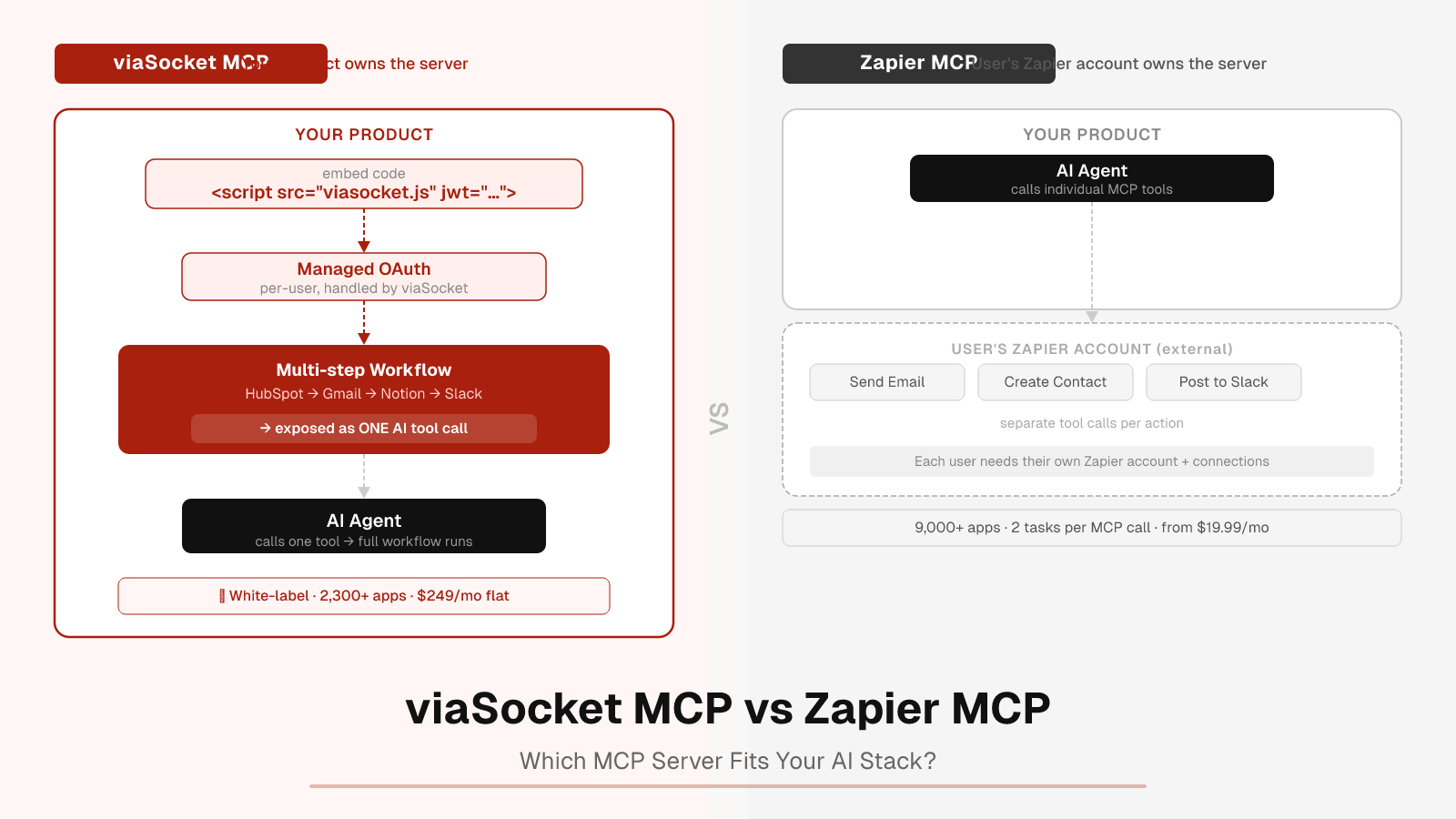
viaSocket offers a white-label MCP server (/mcp/saas) for SaaS companies and app-specific MCP endpoints. For multi-tenant SaaS where each customer has their own connected accounts, the Embed approach (Actions for AI) is the primary recommended pattern — MCP is better suited to single-user or developer-tooling contexts where the user is also the operator of the MCP server.
Multi-agent and multi-tenant patterns
As your agent architecture grows, two additional patterns matter. For a full treatment of the underlying infrastructure, see multi-tenant integration architecture.
Multiple agents, same user. Each agent should receive the same user-scoped token for that user's connections. The token is the user's, not the agent's. Do not issue separate OAuth grants per agent for the same user and app.
One agent, multiple users. The agent must look up the correct user's connection for each request. Never let one user's credentials bleed into another user's agent session. This is a security requirement, not an optimisation.
Multiple agents, multiple users. Both rules apply. Your connection store needs to be keyed by user ID (and optionally account ID for multi-account). Your agent dispatch layer needs to pass the correct user context to every tool call.
Reauthorisation handling
When a connection is invalid or expired beyond automatic refresh, your system needs a reauthorisation path:
- Agent detects a connection failure (managed auth layer surfaces this rather than a raw API error)
- Agent returns a structured signal to the orchestration layer: status reauth_required, app, user_id
- Your product sends the user a reauthorisation prompt (in-app notification, email, or next-session prompt)
- User completes the OAuth flow — same browser-based Phase 1 flow as initial connection
- Agent resumes normal execution on the next request
Do not attempt to handle reauthorisation silently by retrying with degraded credentials. Always surface the failure clearly.
Choosing your tool-calling infrastructure
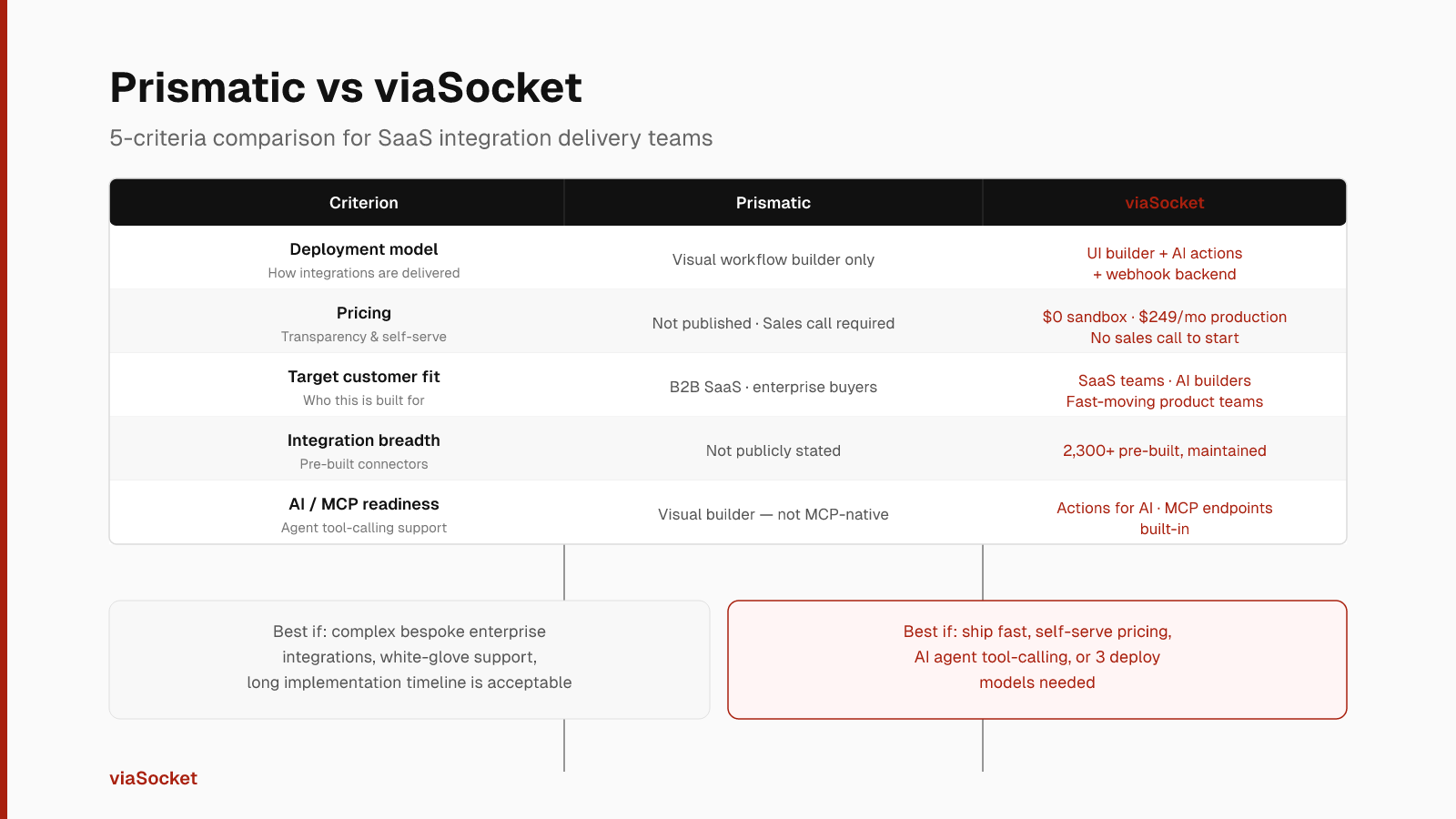
| Approach | Best for | Managed auth | Multi-tenant | Embedded UI |
|---|---|---|---|---|
| viaSocket Actions for AI | SaaS products with agent features, 2,300+ app coverage | Yes | Yes | Yes |
| MCP (viaSocket white-label) | Developer tooling, single-user MCP clients | Yes | Limited | No |
| Composio | Single-agent prototypes, 1,660+ toolkits | Yes | No | No |
| Nango + custom | Open-source auth infra, build the tool layer yourself | Yes | Yes (build yourself) | No |
| Build from scratch | Full control, specific compliance requirements | Build yourself | Build yourself | Build yourself |
FAQ
What is the minimum viable tool-calling infrastructure for a production AI agent?
At minimum: per-user OAuth token storage with automatic refresh, a connection state check before every action execution, a reauthorisation signal when connections fail, and action execution isolated to the requesting user's credentials. Everything else — embedded UI, pre-built action libraries — is additive.
Can I use viaSocket Actions for AI with any agent framework?
viaSocket provides tool definitions your agent can consume and an MCP-compatible endpoint. Check the viaSocket developer docs at viasocket.com/developers/docs for which frameworks have direct integration support. The server-side action execution API is framework-agnostic.
Do I need MCP to use viaSocket for AI agents?
No. MCP is one integration pattern. The primary pattern for multi-tenant SaaS is the embedded Actions for AI approach, which handles per-user OAuth and server-side action execution without requiring your agent to speak MCP. Use MCP when your agent runtime is already an MCP client and you want to leverage that transport.
How does per-user OAuth isolation prevent credential leakage?
Each user's OAuth tokens are stored under their unique user ID and your org ID. When your agent executes an action, it retrieves credentials keyed to the active user's ID — not a shared service account. A bug that passes the wrong user ID would fail to find credentials rather than silently use another user's token, provided your connection store enforces strict key isolation. For a deeper treatment see OAuth for AI agents.
What happens when a user revokes access from the third-party app's side?
The next action execution attempt will receive an authorisation error from the third-party API. A well-built managed auth layer surfaces this as a connection failure rather than a raw API error, allowing your agent to return a reauth-required signal. The user then reconnects through the standard Phase 1 OAuth flow.